Reference Fields
Combo Box
The Combo Box field lets you choose one or multiple values from a preset selection in a searchable drop-down. It stores these selections as an array of values in the database.
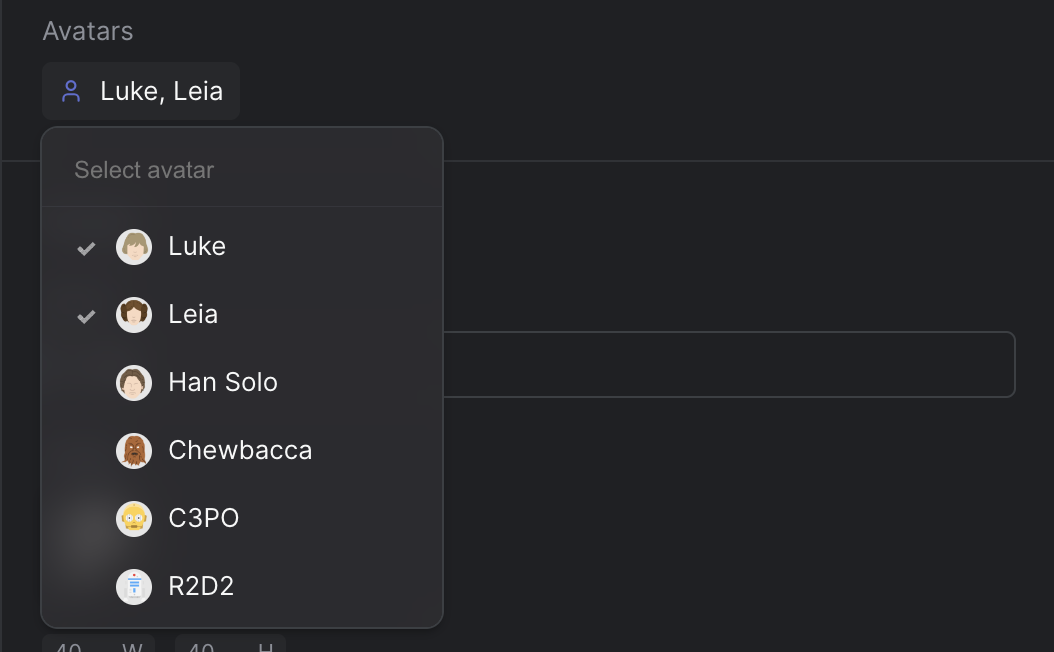
Strife Studio screenshot of an Combo Box field
Settings
In addition to the basic settings, this section provides information about unique settings and configurations specific to this field.
You can find a comprehensive list of all basic settings in the 'Overview' section.
| Option | Description |
|---|---|
Placeholder | Display a placeholder text in the search field after opening the combo box |
Icon | Displays an icon before the selected value in the combo box |
Multi select | Enables multi-select, allowing users to choose multiple options |
Options | Defines the choices presented in the drop-down. Each option is represented as an object containing a name, value, color hex value (optional), icon name (optional), and avatar url (optional) |
Default Value | Default value to display when no value is selected |
External source | Use an external source to fetch options. Use ${propertyName} to access the value of a property in the URL |
Define with JSON
When defining templates using JSON, this field is represented using:
- Component Name:
str-combo-box - Type:
combo-box - Reference ID:
str-combo-box
The settings above map into the editor.attributes object inside the JSON definition.
{
  ...
  "editor": {
    "name": "str-combo-box",
    "type": "combo-box",
    "propertyName": "...",
    "attributes": {
      "placeholder": "...",
      "defaultValue": "...",
      "icon": "...",
      "multiSelect": true,
      "externalDataSource": "..."
    },
    "options": {
      "items": [
        {
          "name": "...",
          "value": "...",
          "color": "...",  //Optional, hex color format
          "icon": "...",   //Optional, name of icon
          "avatar": "..."  //Optional, url to avatar
        },
        ...
      ]
    }
  },
  ...
}
Live preview
This field does not have any default Strife Web Components. Custom live preview implementations are fully supported.
For more information on live preview and Strife Web Components, please refer to the Live preview documentation.