Reference Fields
Image Group
The Image field lets you define a set of images for different media/resolutions to crop, zoom, and insert images effortlessly. It stores the optimized image URLs along with crop data in the database.
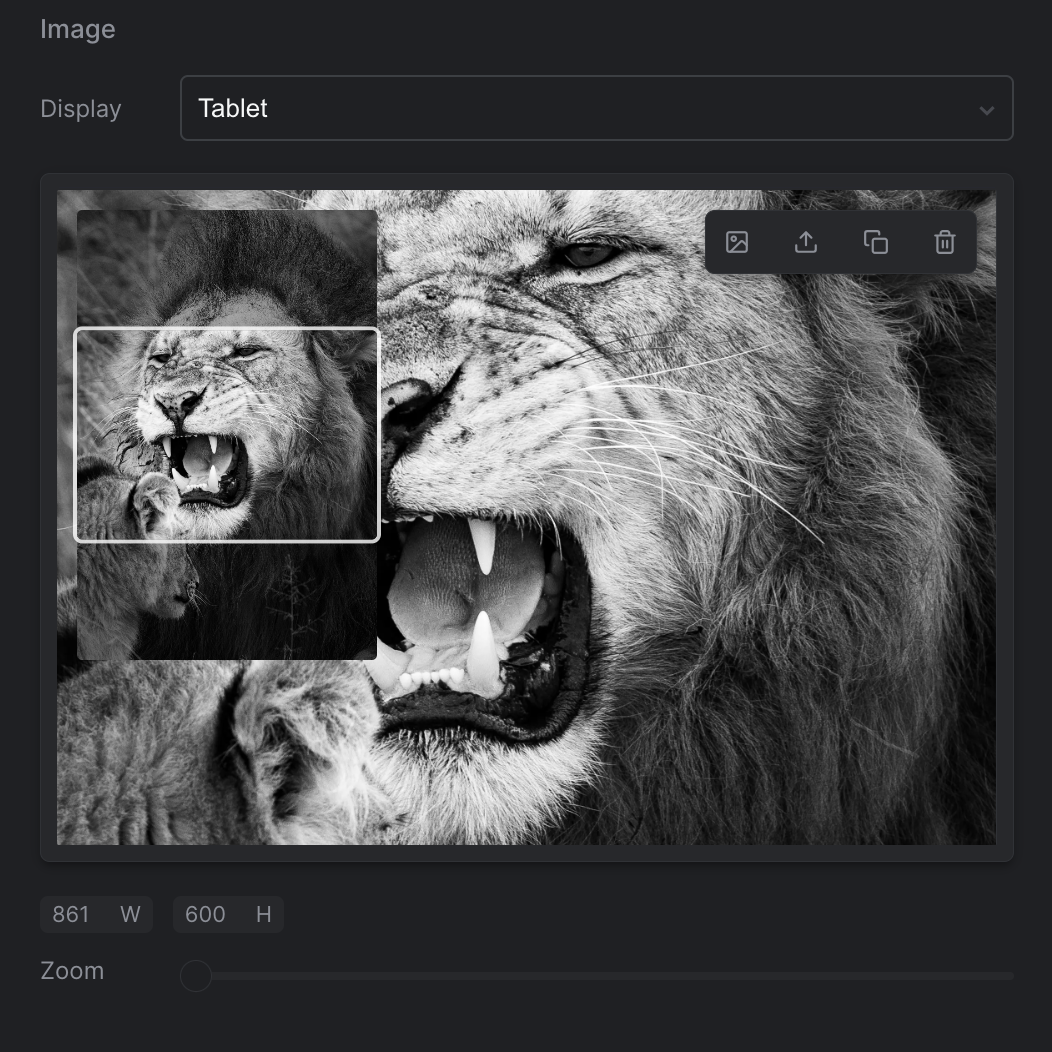
Strife Studio screenshot of an Image Group field
Settings
In addition to the basic settings, this section provides information about unique settings and configurations specific to this field.
You can find a comprehensive list of all basic settings in the 'Overview' section.
| Option | Description |
|---|---|
Medias | Specifies the various media formats by providing the format name/key, width, and height to add images tailored to different media requirements. Examples of medias could be 'Desktop', 'Tablet' and 'Mobile'. |
Define with JSON
When defining templates using JSON, this field is represented using:
- Component Name:
str-image-group - Type:
image-group - Reference ID:
str-image-group
The settings above map into the editor.attributes object inside the JSON definition.
{
  ...
  "editor": {
    "name": "str-image-group",
    "type": "image-group",
    "propertyName": "...",
    ...
    "attributes": {
      "paddingColor": "..."     //Hex color format
      "paddingAlpha": 0.5,      //Number between 0-1
      "hideAlt": false
    },
    "options": {
      "medias": [
          {
              "name": "...",
              "width": 300,
              "height": 200
          },
          ...
      ]
    }
  },
  ...
}
Live preview
The compatible Strife Web Component for an Image Group field is the str-picture component.
For more information on live preview and Strife Web Components, please refer to the Live preview documentation.