> From the [Strife user guide](https://strife.app/docs/user-guide/improving-content/insights). Every page is listed in [llms.txt](https://strife.app/docs/llms.txt).
# Insights
How fast a page is for the people who visit your website, and the accessibility problems found in it, over the last 30 days.
Insights shows how a page has done over the last 30 days: how fast it is for the people who visit it, and which accessibility problems it has. Open the page and click **Insights** at the top of the [editor panel](https://strife.app/docs/user-guide/getting-the-basics/editor-panel.md).
> [!NOTE]
> Insights needs data from your website, so your website's developer has to add Strife's Insights to the site first (see [Live preview](https://strife.app/docs/reference/live-preview#accessibility-in-the-preview) in the developer docs). If you don't see **Insights**, it isn't turned on for you.
Under **Measure**, choose **Experience** or **Accessibility**.
## Experience
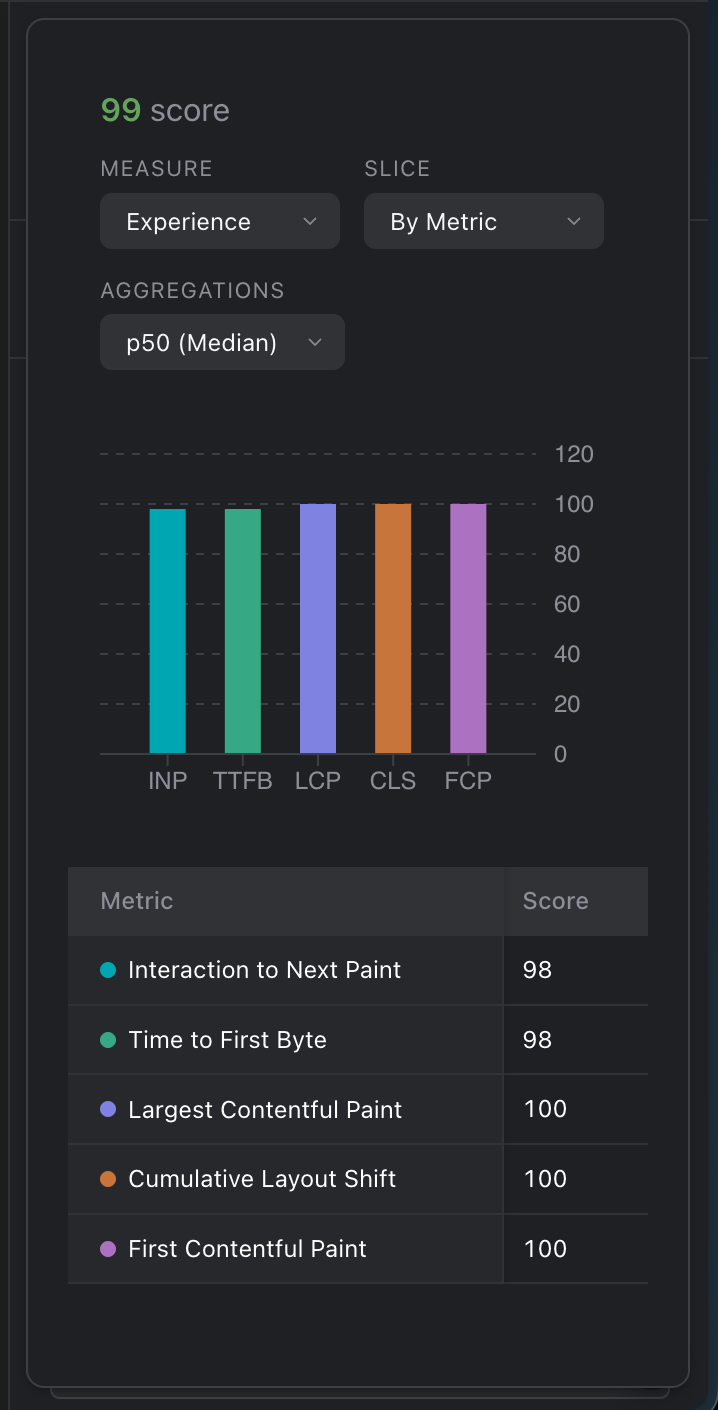
**Experience** shows how fast the page is for real visitors to your published website. Their browsers measure five things:
| Metric | What it measures |
| --- | --- |
| Largest Contentful Paint (LCP) | How long it takes for the largest part of the page to show. |
| Interaction to Next Paint (INP) | How quickly the page responds when someone clicks, taps or types. |
| Cumulative Layout Shift (CLS) | How much the page jumps around while it loads. |
| First Contentful Paint (FCP) | How long it takes for the first text or picture to show. |
| Time to First Byte (TTFB) | How long it takes for your website to start answering. |
Each metric gets a score from 0 to 100, and the page gets an overall score at the top. 90 or more is good, 50 to 89 needs improvement, and below 50 is poor.
Experience for a page
Opening the page in Studio doesn't count as a visit, and neither does opening a [snapshot](https://strife.app/docs/user-guide/getting-the-basics/snapshots.md) link.
## Accessibility
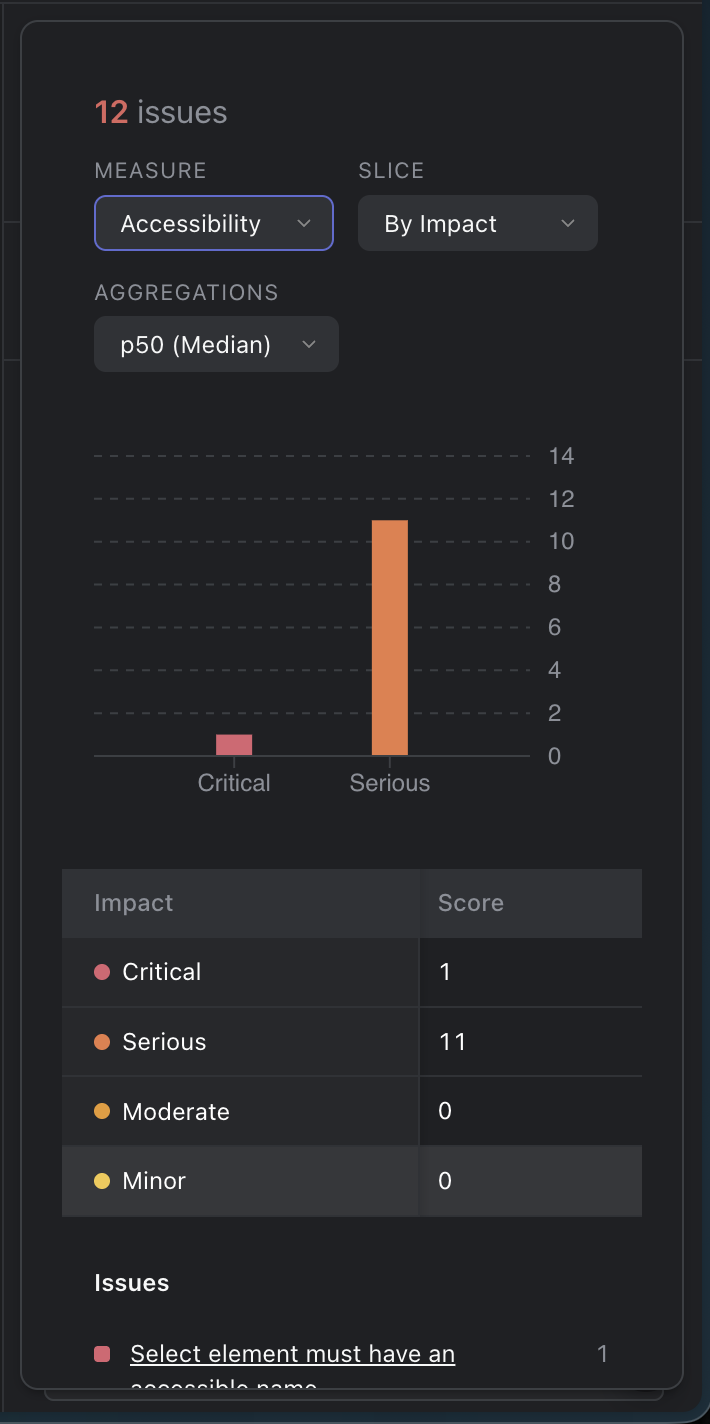
**Accessibility** shows problems that make the page harder to use for people with disabilities, such as a picture without alternative text or a form field without a name. Strife checks the page automatically when it is open in the canvas, so these results come from editing, not from your visitors.
The problems are grouped by impact: **Critical**, **Serious**, **Moderate** and **Minor**. Under **Issues**, each problem is listed with how many times it occurs, the most serious first. Click a problem to read how to fix it.
Accessibility for a page
## Slice and Aggregations
* **Slice** decides how the results are grouped. Experience can be shown **By Metric**, **By Rating** or as a **Trend** over the days, and Accessibility **By Impact**, **By Category** or as a **Trend**.
* **Aggregations** decides which results the numbers are based on. **p50 (Median)** is the middle result, and **p75** to **p99** lean towards the worst ones. In **Trend** you can choose several to compare them.
Until a page has data, Insights says so, for example "No Experience data yet for this page."