Strife DAM
Digital asset management — built into your CMS
Store, organise, and deliver images, videos, and documents from one place. Strife DAM is a DAM system built directly into your CMS — your media is accessible, optimised, and ready to use across every channel and team. No separate tool, no syncing, no duplicate uploads

Sounds familiar?
Managing digital assets shouldn't slow your team down
Files everywhere, the right one nowhere
Google Drive, Dropbox, email attachments, local folders. Your brand assets are scattered and nobody is sure which version of the logo is current.

Manual resizing and converting
Every time an image goes on the website, someone has to resize it, compress it, and hope it looks right on mobile. Time spent on mechanics, not marketing.

Disconnected from your content
Your media library lives in one system, your website in another. Getting an image from storage to published means downloading, uploading, and formatting — again.

What Strife DAM does
Everything you need in a DAM without the things you don't
Everything you need to store, find, optimise, and deliver digital assets without leaving the platform or juggling separate DAM software.
Organise once, find instantly
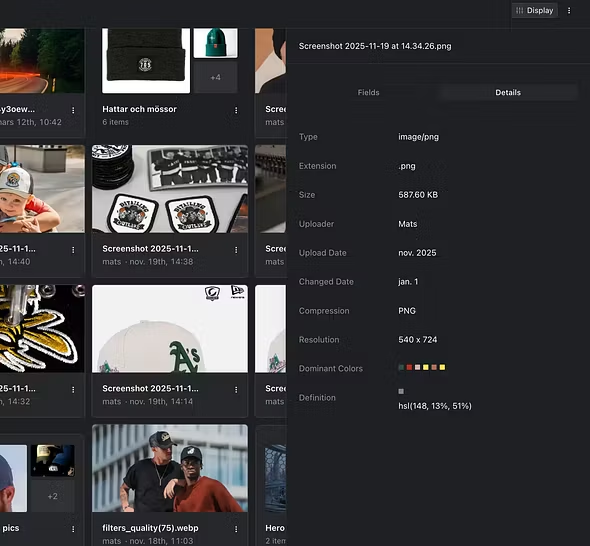
Bring all your digital assets into one media library. Albums, free-text search, and smart filters make it easy to find exactly the asset you need — even in a library of thousands.
Smart albums for structured organisation
Free-text search across file names and metadata
Auto tag and IPTC metadata support for professional asset tagging
Optimized for web without the extra steps
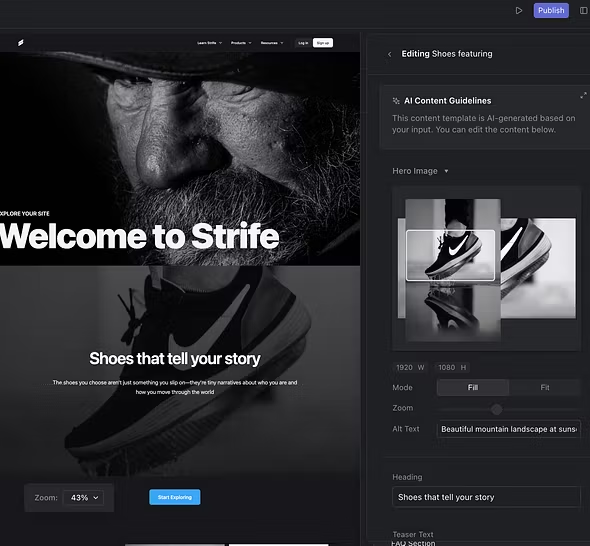
Images and videos used on your website are automatically optimised for performance. No manual resizing, no format converting, no guessing what works on which device.
Automatic web optimisation for images and video
Auto focus and manual crop and zoom
Responsive — assets adapt to the visitor's device
Video that simply just works
Upload, preview, stream, and transcribe video — all within Strife DAM. No external video hosting needed. From quick product clips to high-resolution brand films.
High-capacity 4K video streaming
Live preview by hovering over thumbnails
Automatic video transcription
The capabilities you need to manage digital assets at scale
Share assets
Share files with selected people or platforms. Control who sees what, without leaving DAM.
Colour filtration
Find media based on its dominant colours. Useful when searching for a visual match rather than a file name.
Metadata (IPTC)
Professional metadata support makes assets findable and traceable across your organisation.
Headless DAM
Headless architecture. Serve assets to any frontend, app, or external system via API.
The difference
Standalone DAM vs built-in DAM — what changes
Most DAM systems live outside your CMS. A separate tool with separate logins and configured syncing. A CMS with built-in DAM removes that friction entirely.
One library, one source of truth, always accessible where you need it
Find the right asset in seconds with search and filters
Web optimisation happens automatically on delivery
4K streaming and transcription built into the platform
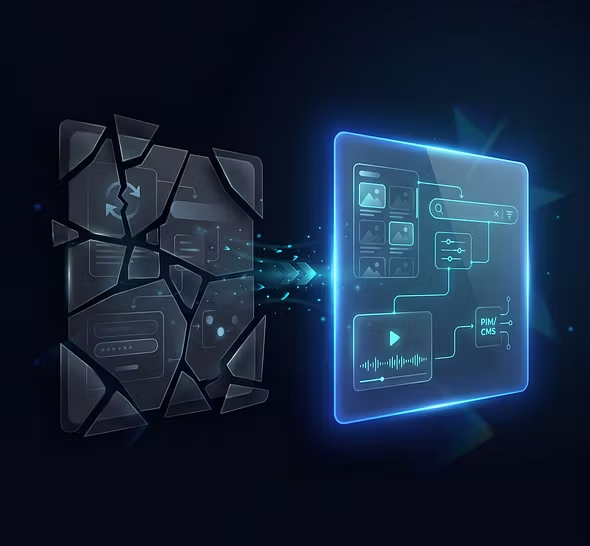
Media available directly in CMS and PIM
Share assets with controlled access
Fully integrated with CMS & PIM
DAM, CMS, and PIM in one place. Assets flow seamlessly into pages and products.
European hosting
GDPR compliant. Your files stay in Europe, not subject to the US CLOUD Act.
Global CDN
Assets delivered through a fast global network. Performance your visitors will notice.
Any format
Images, video, PDFs, documents — Strife DAM handles the file types your team actually uses.
Your questions answered
Common questions on Digital Asset Management
What is digital asset management (DAM)?
Digital asset management is the practice of storing, organising, and distributing media files — images, videos, documents, and brand assets from a central system. A DAM system replaces scattered folders and shared drives with a structured, searchable media library that the whole team can access
What's the difference between a DAM and a shared drive?
A shared drive (Google Drive, Dropbox, OneDrive) stores files. A DAM system adds structure, metadata, search, automatic optimisation, and controlled sharing. With a DAM, you find assets in seconds instead of digging through folder hierarchies and files are delivered web-optimised, without manual resizing or format converting.
How does Strife's DAM capabilities differ from similar capabilities in other CMS?
Most CMS platforms offer basic media uploads, but not true digital asset management — no albums, no metadata, no automatic optimisation, no video streaming. Strife is different: DAM is built into the CMS as a first-class feature, so your assets and content live in the same platform without syncing or duplicate uploads.
Where are my files stored?
All assets are stored on European cloud infrastructure, fully GDPR compliant and not subject to the US CLOUD Act. Files are delivered globally through a CDN for fast load times, but the data itself stays in Europe.
Want to see how it works with your assets?
We'll walk through Strife DAM with your use cases — how your team stores, finds, and publishes media today, and how it would look like in Strife.