Skip to content

Changelog

Every change we ship to Strife: new features, improvements and fixes, newest first.

Subscribe via RSS

New home for the docs

  • New

The developer docs and the user guide now live together at strife.app/docs, each with its own tab.

  • Search finds different forms of a word, puts results from the tab you are in first, and takes you straight to the right section.
  • Every page is also available as markdown, and llms.txt lists them all for AI tools.
  • AI assistants such as Claude and Cursor can search and read the docs through an MCP server at strife.app/docs/mcp.

To add it to Claude Code:

claude mcp add --transport http strife-docs https://strife.app/docs/mcp

In Claude, add the same address as a custom connector, and in Cursor as an MCP server. Use the docs from AI tools has the setup for each tool.
Introducing the Strife toolbar

  • New

Editors who browse your public site can now open the page they are looking at directly in Strife. A small island at the right edge of the page unfolds to Edit in Strife. Visitors never see it, and nothing runs on your server.

Two lines in your layout, no middleware and no props:

<strife-toolbar></strife-toolbar>
<script>import '@strifeapp/strife/toolbar-element'</script>

Strife resolves the team from the page's host and finds the document behind the URL on its own. A browser is connected once, by opening a page from Studio's play button, and from then on the toolbar renders there and only there. The cookie it sets carries no privileges. Opening Strife still goes through your own login and team membership.

Requires @strifeapp/strife 1.11.0 or later. The developer guide covers the connect model, the optional attributes and registered domains.

Introducing Label groups

  • New

Labels can now be organised into groups that your team defines, and each group can be scoped to the templates where it belongs, so editors only see relevant labels and a label such as Region / Nordics reads the same everywhere.

What your site sees

// The content index resolves every label to a single term:
// grouped labels become "Group/Name", ungrouped ones stay bare.
labels: ["Region/Nordics", "Draft"]

// Filter a list page on one of them
query.whereIn("labels", ["Region/Nordics"])

Only one term is stored per label, so moving an existing label into a group replaces its bare name. Update any filter that still queries the old value. Label fields nested inside chapters and content templates resolve the same way, and so does live preview.

What your site needs

@strifeapp/strife 1.9.2 or later. Grouped labels resolve to Group/Name in the content index from 1.9.0, and label fields nested inside chapters and content templates follow in 1.9.2. The index source ships inside the SDK, so upgrading the package is only half of it. Run strife push afterwards to redeploy your content index, or the old projection stays live and your labels keep resolving the old way.

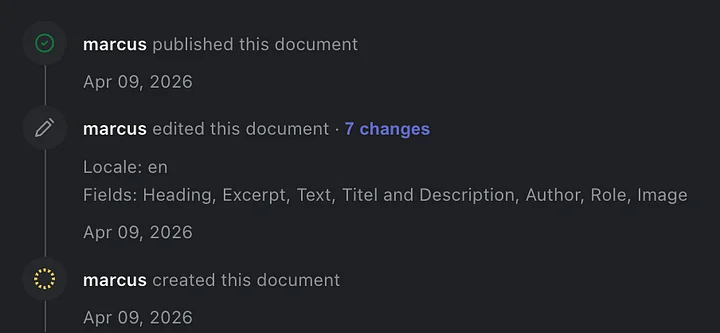
Activity log shows what actually changed

  • Improved

The activity log now shows the human-readable label of the field that changed instead of its technical name, so editors can tell at a glance what a colleague edited.

AI-suggested alt text for images

  • New

Studio can now suggest alternative text for an image with one click, generated by AI from the image itself. Review and edit the suggestion before saving. A faster route to accessible, search-friendly images.

Embed Vimeo videos in rich text

  • New

You can now embed Vimeo videos in rich-text fields by pasting the video link, the same way YouTube embeds already work.

Try Strife in minutes

  • New

Anyone can now try Strife from strife.app: sign up, get a workspace and a starter site, and walk through a short guided onboarding, including AI-generated content, before editing the site in a live preview embedded on the marketing page.

Self-serve sign-up is limited to the trial environment.