Knowledge
What is a headless CMS?
A headless CMS separates content from presentation, and gives you the freedom to publish anywhere. Here we explain how it works, who it's for, and what separates a good headless CMS from a bad one.

What makes a headless CMS different?
A headless CMS manages your content, text, images, video, without deciding how it is displayed. The content is delivered via an API to any frontend you like: website, app, digital signage, or something else entirely. Compare that with a traditional CMS like WordPress, where content and design are fused together. In a headless CMS they are decoupled. That gives developers the freedom to build with any technology they want, while editors work in a dedicated interface designed for content work.
The concept is not new, but it has become increasingly relevant as companies need to publish content across more channels than just the web. And as headless architecture has matured, the editor experience has developed too. Modern headless CMS platforms now offer rich visual editing experiences without giving up the technical freedom.
How does it work?
In a traditional CMS everything is connected: you write text, pick a template, and the CMS renders the page for you. That works, but it also means your content is tied to a specific presentation. A headless CMS works differently:
You create content in the CMS, structured, organized, independent of layout.
The CMS exposes an API that makes your content available as data.
The frontend fetches the data, and your website, app, or service consumes the content and presents it to the user.
It means the same product text can appear on your website, in your mobile app, or in a social channel without you writing it three times.
API-first is the key term. All content is available programmatically, which opens up integrations, automation, and multichannel publishing in a way traditional CMSs cannot manage.
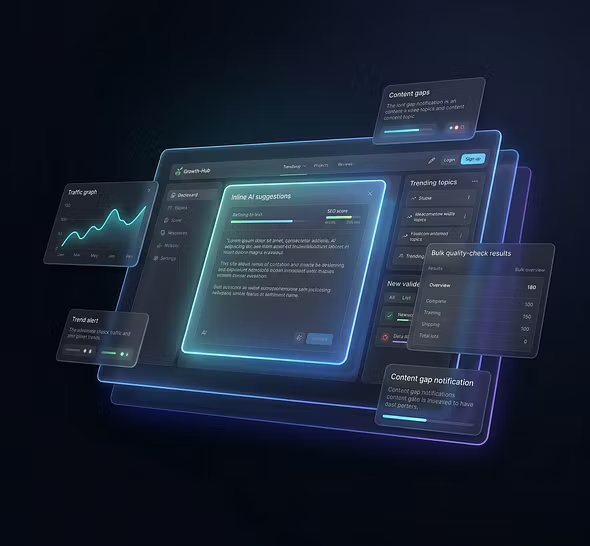
Benefits of a headless CMS
Freedom of technology: Your developer team can choose the framework that fits best, React, Next.js, Vue, Svelte, or something else. You are not limited by the CMS's built-in templating.
Publish across channels: The same content can be served to your website, mobile app, smartwatch, digital signage, or third-party service. You create the content once.
Better performance: Without heavy CMS server rendering, you can build static or server-side-rendered sites that load faster. That benefits both user experience and SEO.
Future-proofing: Need to switch frontend in three years? Do it, without touching your CMS or your content. You invest in an architecture flexible enough to grow with you.
Scalability: APIs handle high load better than traditional monolithic CMSs. Traffic spikes become a technical problem you can solve, not a CMS limitation you have to live with.
Drawbacks, and why they are often overstated
It's only for developers: That was true for early headless CMSs. Many are still built with the developer as the primary user, which means editors get an impractical interface. But it doesn't have to be that way. A headless CMS can have an editor experience as intuitive as, or better than, WordPress. It depends entirely on the platform you choose.
It costs more: The initial investment can be higher, yes. But factor in the hidden costs of a traditional CMS: plugin maintenance, security updates, time editors lose to cumbersome workflows. That picture often looks different.
There's no preview: Early headless CMSs lacked visual preview. Today the best platforms offer live preview that shows exactly how content will look in real time, as you edit.
Headless vs traditional CMS compared
Architecture
Headless: Decoupled (content + API)
Traditional CMS: Monolithic (all in one)
Frontend
Headless: Any framework
Traditional CMS: Tied to the CMS's templates
Channels
Headless: Web, app, IoT, anything with an API
Traditional CMS: Primarily web
Editor experience
Headless: Varies widely. From poor to excellent
Traditional CMS: Often good but limited
Flexibility
Headless: High. You build as you like
Traditional CMS: Limited by the platform
Performance
Headless: High. Can be optimized independently
Traditional CMS: Varies a lot. The CMS sets the limits
Security
Headless: High. Smaller attack surface (no exposed frontend)
Traditional CMS: Lower. Attack surface usually via plugins/themes
Who is a headless CMS for?
Publishes in more channels than just the web
Has a developer team (in-house or via an agency) that wants to work with modern frameworks
Wants the flexibility to change and develop the frontend without unlocking the CMS
Values performance and security
Plans to scale up its digital presence
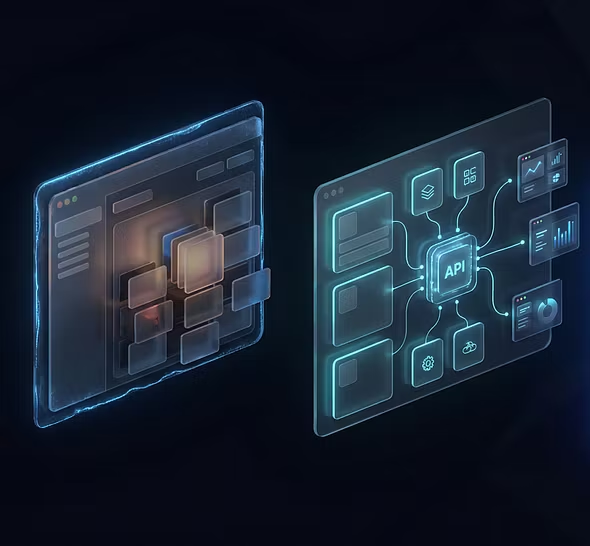
When is a headless CMS not the right choice?
Needs a simple blog without developer resources
Doesn't have technical skills available
Wants an "all-in-one" solution with drag-and-drop and no separate frontend
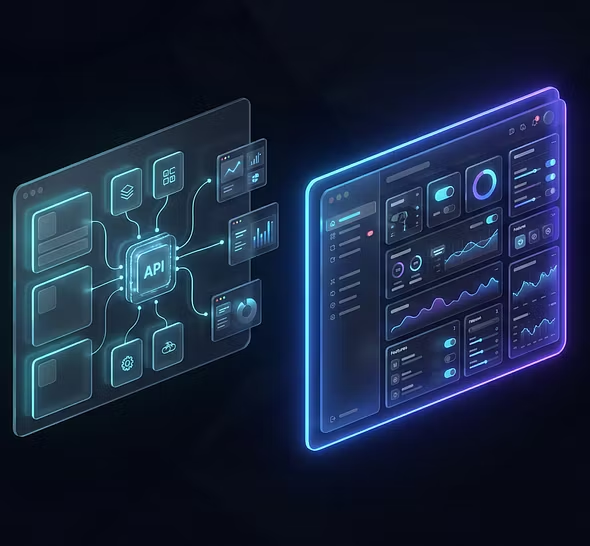
Strife CMS fits many types of customers
Strife combines headless architecture with a visual editing experience so even non-technical teams can work independently. With CMS, PIM, and DAM in the same platform and full support for AI agents, you also avoid juggling several separate systems.
Checklist
How to choose the right headless CMS
Not all headless CMSs are created equal. Before you decide, ask the vendor these questions:
What is the editor experience like?
Ask for a demo. Not of the admin area, but of the editor's daily workflow. How does an editor add an image? How do you preview a page?
Where is the data stored?
Within the EU? With a US cloud provider? GDPR and data sovereignty are not a side issue.
What happens when we want to change something?
Can editors create new page components themselves, or does every change require a developer?
What does migration look like?
Are there tools to automate the move from your current CMS?
What does it really cost?
Not just the license, but the total cost: time for maintenance, development dependence, learning curve.
Questions and answers
Frequently asked questions about headless CMS
Headless CMS often raises questions, especially about who it's for and what it requires in practice. Here we clear up the most common ones.
What is the difference between a headless CMS and a regular CMS?
In a regular (traditional) CMS, content and presentation are connected, you write in the same system that displays the page. In a headless CMS they are separated: the content is managed in the CMS and delivered via API to any frontend.
Are there headless CMSs with a good editor experience?
Yes. Early headless CMSs were built almost exclusively for developers, but modern platforms like Strife combine headless architecture with a rich visual editor. You get the API-first flexibility without sacrificing the editor experience.
Is a headless CMS hard to use?
It depends entirely on the platform. Early headless CMSs were built for developers. Modern headless platforms offer intuitive interfaces that let editors work independently without technical skills.
Which headless CMS tools are there?
The best known are Contentful, Sanity, Storyblok, and Strife. They differ most in editor experience, how much visual editing they offer, and pricing.
Can you use a headless CMS without developers?
You need developers to build the frontend. But with a headless CMS that has a good editor experience, like Strife, editors can handle the daily work independently after the initial setup. With the help of AI, the editor can even build blocks that previously required developer skills. This significantly simplifies the editor's day-to-day and reduces the cost of running the channel.
Summary
A headless CMS gives you control over your content without tying you to a specific technical solution. It is an architecture built for flexibility, performance, and future-proofing.
The most common objection is that it's complicated for editors, but that's a problem modern headless CMS platforms have solved. The difference lies in which platform you choose.