What is a CMS?
CMS stands for Content Management System, but what does that actually mean? We break down the differences between traditional, headless, and hybrid, and help you pick the right one.

CMS stands for Content Management System. A CMS lets you create, manage, and publish digital content without writing code.
If your website has more than a handful of pages, you probably need a CMS. It is what lets your marketing team update a product page without involving IT, and your communicator publish a news post without knowing how to program.
That sounds obvious. But the choice of CMS is one of the most underestimated decisions a company makes. It affects how fast you can publish, how independently your team can work, and how much time disappears into unnecessary friction.
How does a CMS work?
At its core, a CMS does four things:
- Create & edit
Build and edit content in a visual interface, with no code or technical skills required.
- Structure & store
All content is stored in a structured database so it is searchable, organized, and reusable.
- Review & collaborate
The whole team previews, comments on, and approves content before it is published.
- Publish & distribute
Content goes live on the website, in the app, or is sent on to other channels.
Different types of CMS
There are essentially two types of CMS today. Both have their pros and cons.
Traditional CMS (monolithic). Content and presentation in one package. You write text, pick a template, and the CMS renders the page. Examples: WordPress, Joomla, Drupal.
Headless CMS. Content separated from presentation. The CMS manages your content and exposes it via an API. A separate frontend displays the content. Examples: Contentful, Sanity, Storyblok.

Pros and cons
Every type of CMS has its pros and cons.
Monolith: Pros, easy to get started, large ecosystem. Cons, limited flexibility, security risks (especially WordPress), technical debt when scaling.
Headless: Pros, freedom of technology, multichannel publishing, better performance and security. Cons, requires developer resources for the frontend, the editor experience is often spartan.
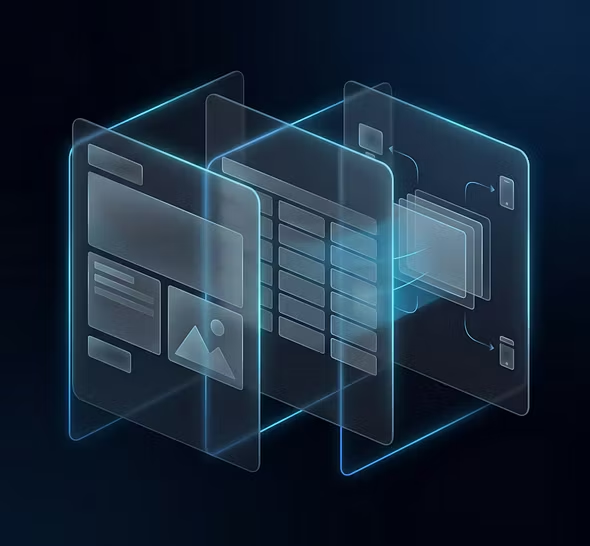
CMS costs are more than license prices.
Visible costs
License fee, anything from free (WordPress open source) to tens of thousands of kronor per month (enterprise CMS).
Hosting, either included or separate.
Development, building and customizing the site on top of the CMS.
Migration, moving content from your existing system.

The costs that really hurt
Hidden costs
Maintenance and upkeep: Plugin updates, security patches, compatibility issues. Building new templates.
Inefficiency: Time editors lose to clunky workflows and awkward interfaces. Two editors losing 30 minutes a day to CMS friction costs around 400 hours a year. That is a real cost that rarely shows up in the budget.
Agency dependence: Every change requires outside help.
Technical debt: The longer you wait, the more expensive a switch becomes.

1. The editor experience
This is the most important factor, and the one most often underestimated. Your CMS will be used daily by people who are not developers. If it takes 15 minutes to update a page that should take 2, multiply that by every editor, every day, across the system's entire lifetime.
Ask yourself: Can my team work independently, or do they always need help?
2. Digital maturity and in-house skills
Be honest about where your organization stands. Do you have a dedicated developer team, or do you rely on an agency? Is there CMS experience in-house, or is marketing expected to handle everything themselves?
A CMS that requires developers for every change only works if you have developers available. An enterprise CMS with hundreds of features only works if you have the resources to use them. Maturity decides which platform actually works in your day-to-day, not which one looks best in a demo.
Ask yourself: What skills do we have today, and which are realistic to build?
3. Flexibility vs simplicity
Simple tools like Squarespace let you start fast but limit you early. Enterprise platforms like Optimizely offer maximum flexibility but require dedicated resources.
Ask yourself: Where on that scale is your company, and where are you heading?
4. Architecture
Do you only need a website? Then a traditional CMS works.
Ask yourself: Do you need to publish across multiple channels, integrate with other systems, or want freedom in your tech stack? Then headless is preferable.
5. Security and data sovereignty
A CMS with European cloud infrastructure gives you better control, and protects you from issues around the CLOUD Act and US authorities.
Ask yourself: Where is your data stored? Who has access? Is the platform GDPR-compliant?
6. Total cost
Don't just count licensing. Count time: for maintenance, for handling problems, for editors struggling with poor UX. That picture is what the CMS really costs.
Ask yourself: How much time does your team spend fighting the tool instead of creating content? What does that cost?
The costs that really hurt
Common mistakes when choosing a CMS
Choosing based on what you need today, not tomorrow. Your company in three years has different needs. Pick a platform that can grow with you.
Underestimating the migration cost. Staying in a bad CMS because the migration "feels big" is often more expensive than actually making the move. Modern CMSs have automated migration tools that do the job faster than you think.
Focusing on the feature list instead of the user experience. Every CMS has "content management", "SEO tools" and "media library" on its feature list. The difference shows in how it actually feels to use them every day.
Forgetting the editors. IT often chooses a CMS based on technical requirements. But it is marketing that has to work in it every day. Involve them early.
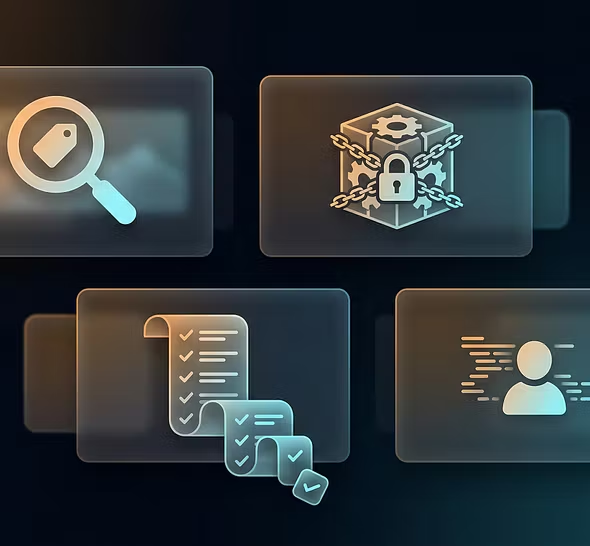
Does AI make me faster or just more dependent?
For the editor
Is AI built into the CMS, or a separate service you have to leave the interface to use? AI that lives right in the writing flow (simplify, translate, suggest SEO) is worth ten times more than AI that requires copy-pasting between tools.
Good AI suggests. Bad AI decides. The editor should always have the last word, review, adjust, approve. If the AI publishes without your input, you have lost control of your brand's voice.
The next generation of AI in the CMS is not just about generating text. It is about weaving SEO data, visitor analytics, and industry monitoring into your content work. Which pages are losing traffic? Which topics are trending in your industry? Where are the gaps in your existing content? When AI answers these questions, you go from reacting to staying ahead.
Some CMSs offer AI that polishes what you already have: better headlines, nicer meta text. That is valuable. But the real productivity gain comes when AI helps you create entirely new things, like a page component or a campaign section, without involving a developer.
A site with hundreds of pages inevitably has problems: outdated content, missed SEO, poor accessibility. AI that can scan the whole site, identify issues, and suggest fixes, with the option to update in bulk, saves weeks of manual work. Ask whether the platform supports bulk updates based on AI analysis.
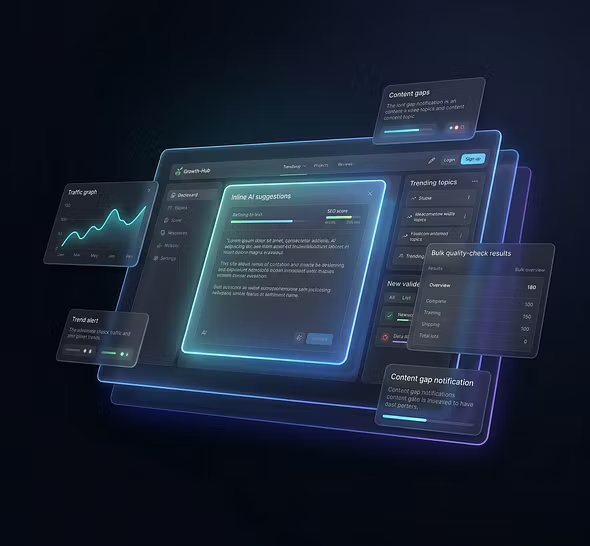
Integration or isolation?
For the developer
AI that is natively integrated into the CMS, with access to content structure, metadata, and publishing flows, can do smarter things than a general AI service bolted on from outside. Ask whether the AI understands your content or just processes text in a vacuum.
The most future-proof platforms let developers connect their own AI tools to the CMS, via MCP, APIs, or agent frameworks. That means you are not locked into the vendor's AI but can use the tools that suit you best.
Tomorrow's CMS has AI agents that perform tasks for the editor, not just answer questions. Can the editor instruct the CMS to "update all product pages missing a meta description" or "find content not updated in six months"? The difference between an AI tool and an AI colleague lies in the ability to act, not just analyze.
Is your content sent to external AI models? Where is it processed? Is it stored? For organizations with sensitive content or GDPR requirements, this is not a technical detail, it is a business risk.
If a CMS vendor talks more about AI in its marketing than you can see in the product, be skeptical. Ask for a live demo of the AI features in the daily workflow, not in a staged showcase.

Frequently asked questions about CMS
- What does CMS mean?
CMS stands for Content Management System. It is a tool for creating, managing, and publishing digital content without writing code.
- Which CMS platforms are there?
There are hundreds. The most common categories are traditional CMS (WordPress, Joomla), headless CMS (Contentful, Sanity), and hybrid CMS (Strife, Storyblok) that combine headless architecture with visual editing.
- What does a CMS cost?
Anything from free (WordPress open source) to hundreds of thousands of kronor per year (enterprise CMS like Optimizely). But the real cost includes maintenance, agency dependence, and lost productivity.
- What is the difference between headless and traditional CMS?
In a traditional CMS, content and presentation are coupled. In a headless CMS, content is delivered via an API and can be shown in any channel.
- Do you need developers for a headless CMS?
It depends on the platform. Pure headless CMS requires developers to build the frontend. Hybrid CMS gives you the benefits of headless architecture with a visual editor that makes editors independent.
- Do I need a CMS for my website?
If you have more than a handful of pages and plan to update content regularly, yes. Without a CMS you depend on a developer for every change. With a CMS your team can publish independently.
- Which CMS should I choose?
It depends on your organization's maturity, your needs, and the skills you have in-house. A small team without developers needs a CMS with a strong editor experience. A company with more complex needs should look at hybrid or headless solutions.
- Can I switch CMS without losing my SEO?
Yes, with the right planning. A well-thought-out migration with correct URL mapping and 301 redirects preserves your search ranking. The key is not to rush, plan redirects carefully, verify that no content is lost, and monitor traffic after the move. Modern CMS platforms have automated migration tools that make it easier than you think.