Zoom in the canvas
Zoom in and out in the canvas with a trackpad, a mouse, the zoom menu or keyboard shortcuts.
Zoom in to look closely at part of the page, or out to see all the screen sizes at once.
- With a trackpad, pinch with two fingers.
- With a mouse, hold Ctrl (also on a Mac) and scroll.
- With the zoom menu, click the zoom level in the toolbar at the bottom of the canvas.
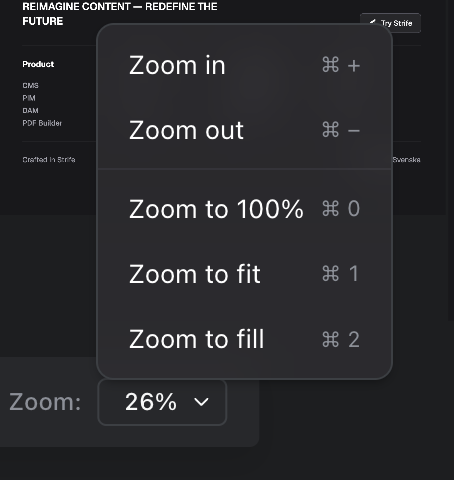
The zoom menu
Zoom to fit shows every screen size whole. Zoom to fill makes them fill the width of the canvas; scroll to see the rest.
The zoom commands are also in the command menu, and they have keyboard shortcuts:
| Windows | Mac | Command |
|---|---|---|
Ctrl + | Command + | Zoom in |
Ctrl - | Command - | Zoom out |
Ctrl 0 | Command 0 | Zoom to 100 % |
Ctrl 1 | Command 1 | Zoom to fit |
Ctrl 2 | Command 2 | Zoom to fill |