Find, sort and filter media
Search the media library by name, filter it, sort it, and choose how thumbnails show.
Search
Press Command+F (Ctrl+F on Windows) in the media library and type part of a file's name. The search covers the whole library, not only the folder you have open; Open containing folder in a file's menu takes you to its folder.
Filter
Click Filter... to filter on Uploader, Content, Orientation, Color and Label, and on Type where every kind of file is listed. As in the content list, you choose whether files must match all filters or any, and Save keeps the combination as a view under Views in the left menu (see Saving a view).
Sort and display
Click Display:
- Ordering sorts by Created or Type.
- Direction is Ascending or Descending. The newest files come first to begin with.
- Thumbnail scale is Fill or Fit: how the thumbnails fill their squares.
- Hide empty folders leaves out folders with no files.
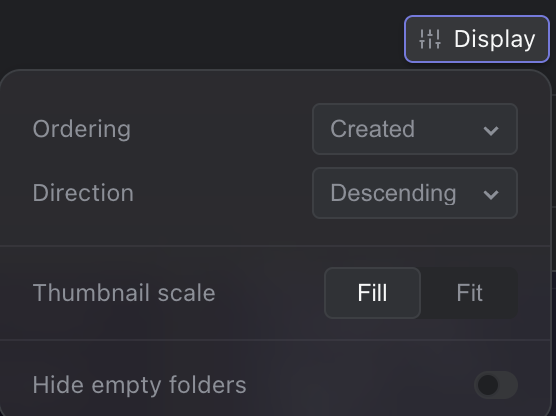
Display options for the media library