Publish a page
Publish a page's changes, choose which languages go live, and see what is published with it.
Open the page and click Publish in the upper right corner. It can be clicked when the page has unpublished changes. A panel opens with:
- the page's name, which links to the page on your website, and when it was last changed and by whom
- on a team with more than one language, the languages that will be published, for example SV only or All locales
- View changes: the page and any other documents that go live with it, such as a reusable chapter you changed
- Discard and Publish
Click Publish in the panel, and then Publish again in "Do you want to publish this document?". On a team with more than one language, the question also says which languages will be published. Studio says "Content published" when the changes are live.
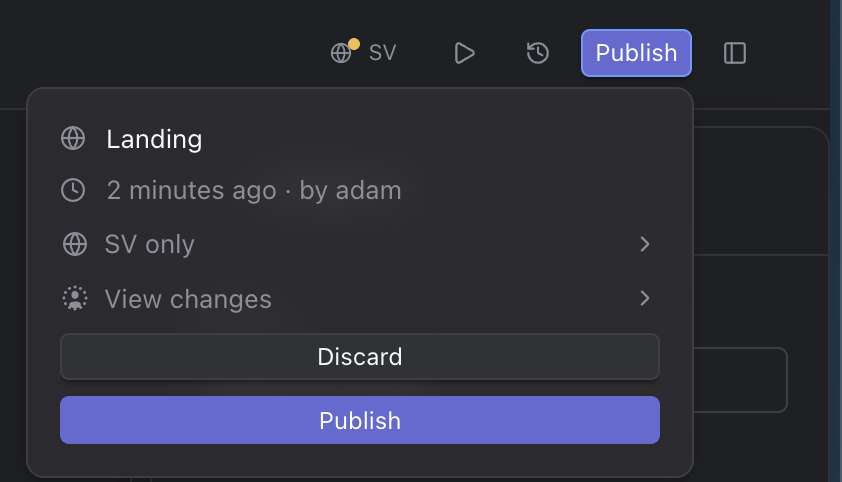
The publish panel
Choose the languages to publish
On a team with more than one language, the language you are working in is selected to begin with. Click the language row to open Languages to publish and change the selection. Only languages with unpublished changes can be chosen; they are marked with a dot. Select all picks all of them.
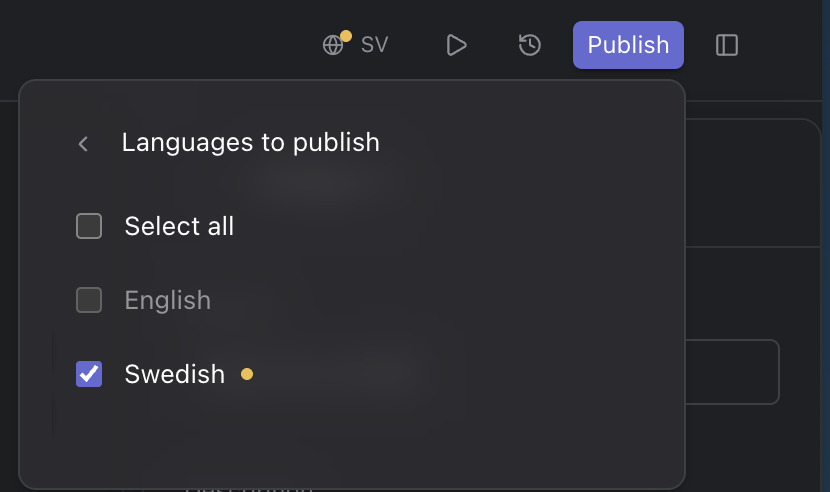
Languages to publish
Good to know
- Studio publishes right away; it has no option to schedule a publish. The Scheduled list shows pages that are set to be published later.
- To publish several pages at once, select them in the content list and choose Publish selected documents in the command menu (see Work with several pages at once).
- Discard throws the unpublished changes away instead (see Lifecycle of a page).