Content list
The content list: the team's lists of pages, how to open a page, and the page menu with Edit, Preview, Compose, Set origin, Copy and Archive.
Every team has a content list with all its pages and other documents. Open it by choosing the team in the left sidebar and then Content. Below Content are the lists of Published, Drafts, Scheduled and Archived pages.
At the top of a list are Filter..., a language selector on a team with more than one language, Display for sorting and columns, and Compose for creating a page. See Filter, Search, sort and display and Compose a page.
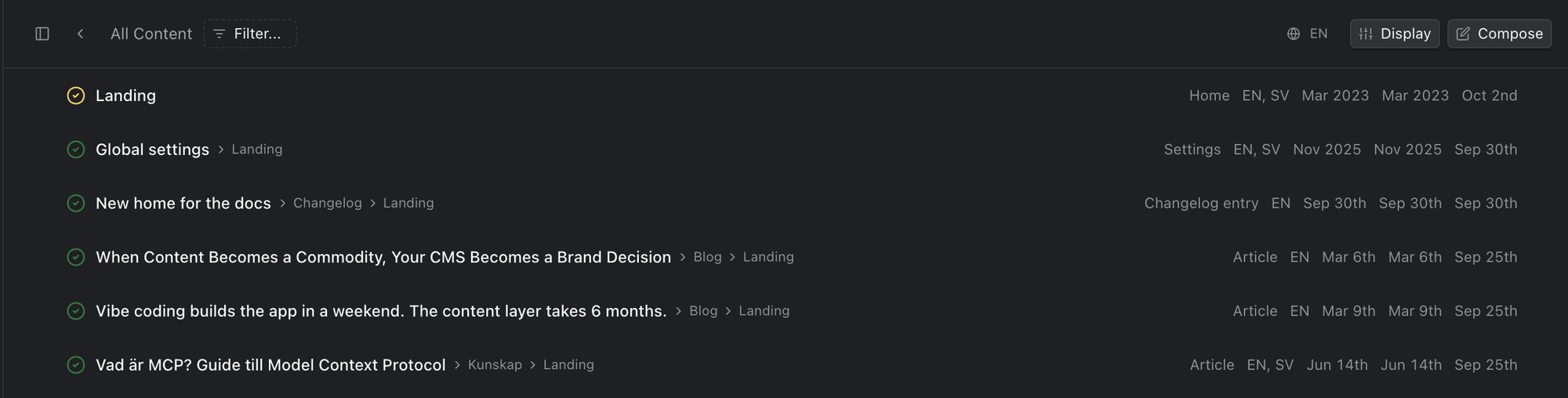
The content list
Each row shows the page's name, and after it the pages it sits under. On the right are the columns you choose under Display, such as the type, the languages and dates. Click the name to open the page in the editing view. The name of an archived page, or of a document without an address, is plain text: use Edit in its menu instead.
The icon in front of each name shows the page's status: a green check means published, a yellow check means published with changes that aren't published yet, an empty circle means never published, and a circle with a cross means archived.
The page menu
The … at the start of each row opens the page's menu:
- Edit (Command+E): edit the page's fields in a panel over the list, without the preview.
- Preview (Command+P): open the page in the editing view, like clicking its name. Only for pages with an address.
- Compose ▸: create a new page under this one.
- Set origin...: move the page under another page. See Move a page.
- Make a copy...: create a copy of the page.
- Copy ▸: copy the page's id, its address (one per language) or its type name, for example to give to a developer.
- Archive: take the page off the website and lock it. An archived page has Restore and Delete instead. See Lifecycle of a page.
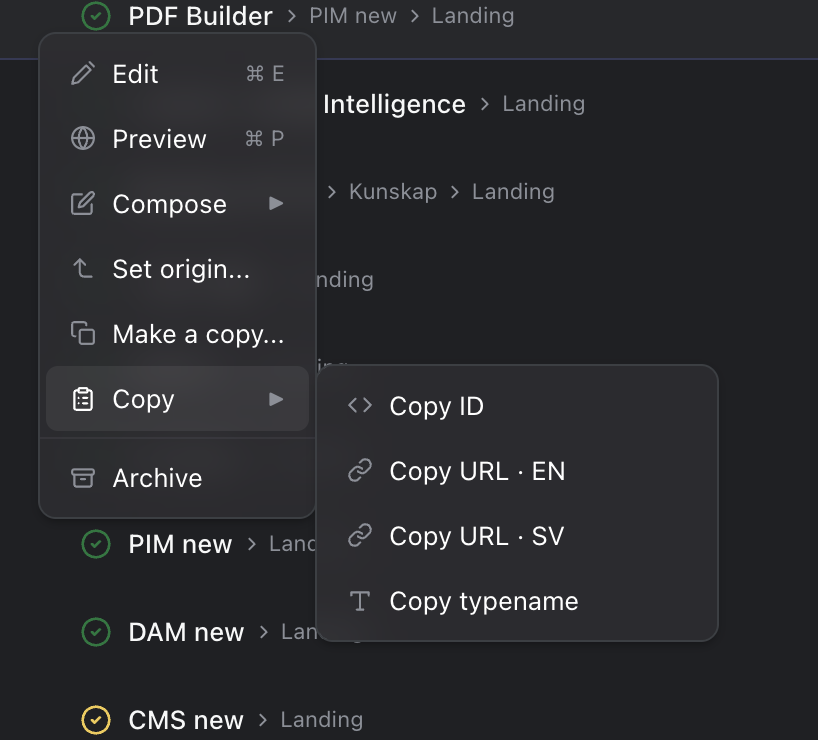
The page menu, with Copy open
With a row selected, Command+E and Command+P work without the menu, the Copy actions are in the command menu too, and the arrow keys move through the list. On Windows, use Ctrl instead of Command.