For administrators
For administrators: opening Settings, inviting people and managing members, and setting up a team's languages, labels, templates, Strife Intelligence and integrations.
Administrators manage the workspace and its teams in Settings, which only they can open (see Roles and permissions). Choose Settings in your account menu, or Workspace settings or Manage members in the workspace menu (see Find your way around Studio).
Settings has three parts:
- Account: your Profile, and Connected Agents.
- Workspace: General and Members.
- Teams: for each team, General, Localization, Members, Templates, Labels, Strife Intelligence and the team's integrations.
Members
Under Workspace ▸ Members, click Invite people. Type one or more email addresses, choose teams under Add to team, and click Send invites. Each person gets an invitation by email, with a link that works for 14 days (see Get access to Strife). If an email can't be sent, Strife names the address so you can resend it.
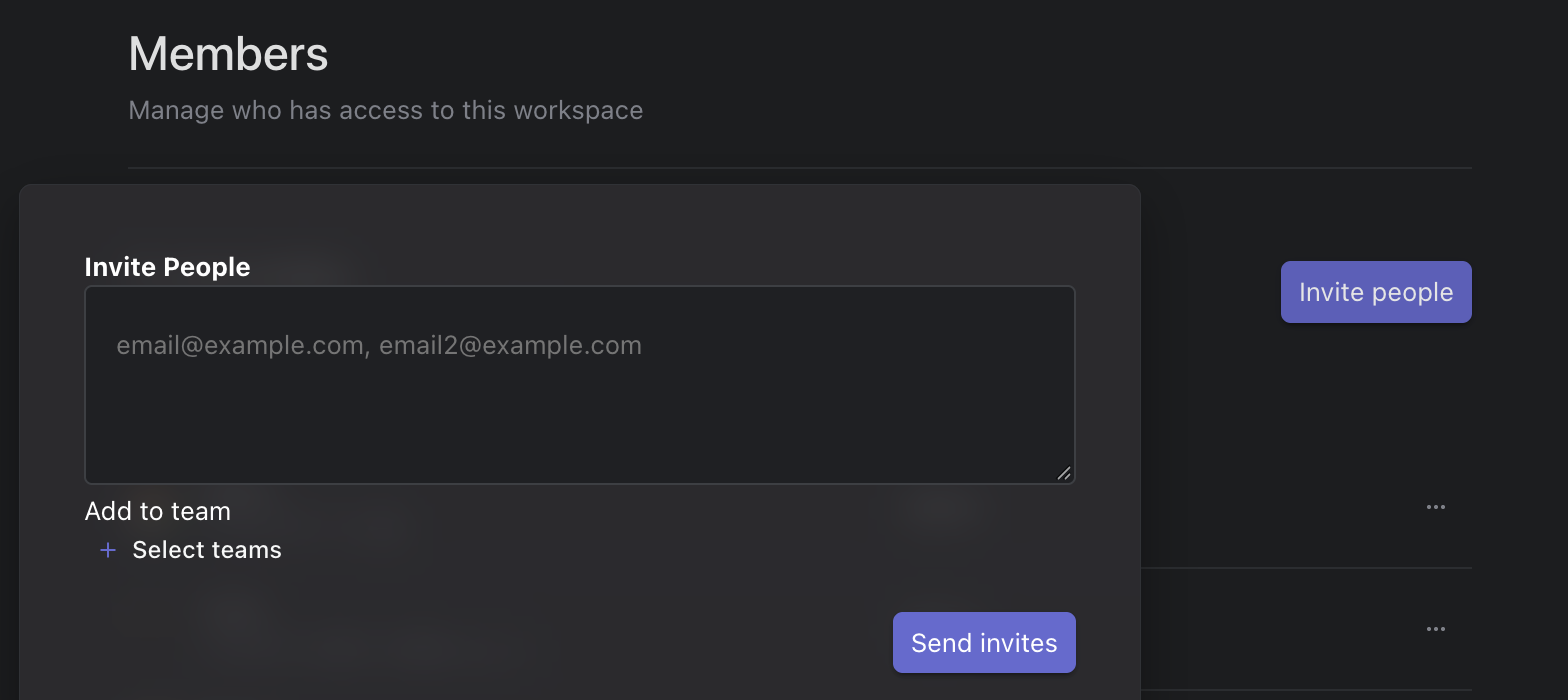
Invite People
The list shows each member's role (see Roles and permissions). A member's menu has Resend invite... and Revoke invite... while an invitation is waiting (resending emails a new link, and the old one stops working), and Suspend user... or Activate user... for members. Under a team's own Members, Add member and Remove from team change who is in that team.
Languages
Under a team's Localization, Add locale adds a language. A language's menu has Set as default and Remove. See Languages and translation for how editors work with them.
Labels
Under a team's Labels, create labels and label groups, and choose where each label can be used. See Labels.
Templates
Templates decide which kinds of pages a team has and which fields they have. When a team's templates are defined in code by a developer, Templates isn't in the menu. Otherwise it lists the team's templates by kind: document templates for pages, content templates for chapters and reusable content, the metadata template and the file template. Create Template adds one. A change to a template affects every page that uses it, so plan changes with your developer.
Strife Intelligence
Under a team's Strife Intelligence, Enable Strife Intelligence turns on the AI features for that team: suggested alternative text for pictures, suggested titles and descriptions for search results, and translating pages into the team's other languages. Optional prompts let you steer the translations, the search texts and summaries.
Integrations
Bunny CDN, OpenAI API, and Webhooks and File Generator where they are turned on, connect the team to other services. Your developer usually sets them up.