Canvas
The editing view: the live preview on the canvas, the editor panel beside it, and the bar above them.
When you open a page, Studio switches to the editing view. In the middle is the canvas: a live preview of the page in several screen sizes at once, which follows your edits as you make them. On the right is the editor panel, where you edit the page (see Editor panel).
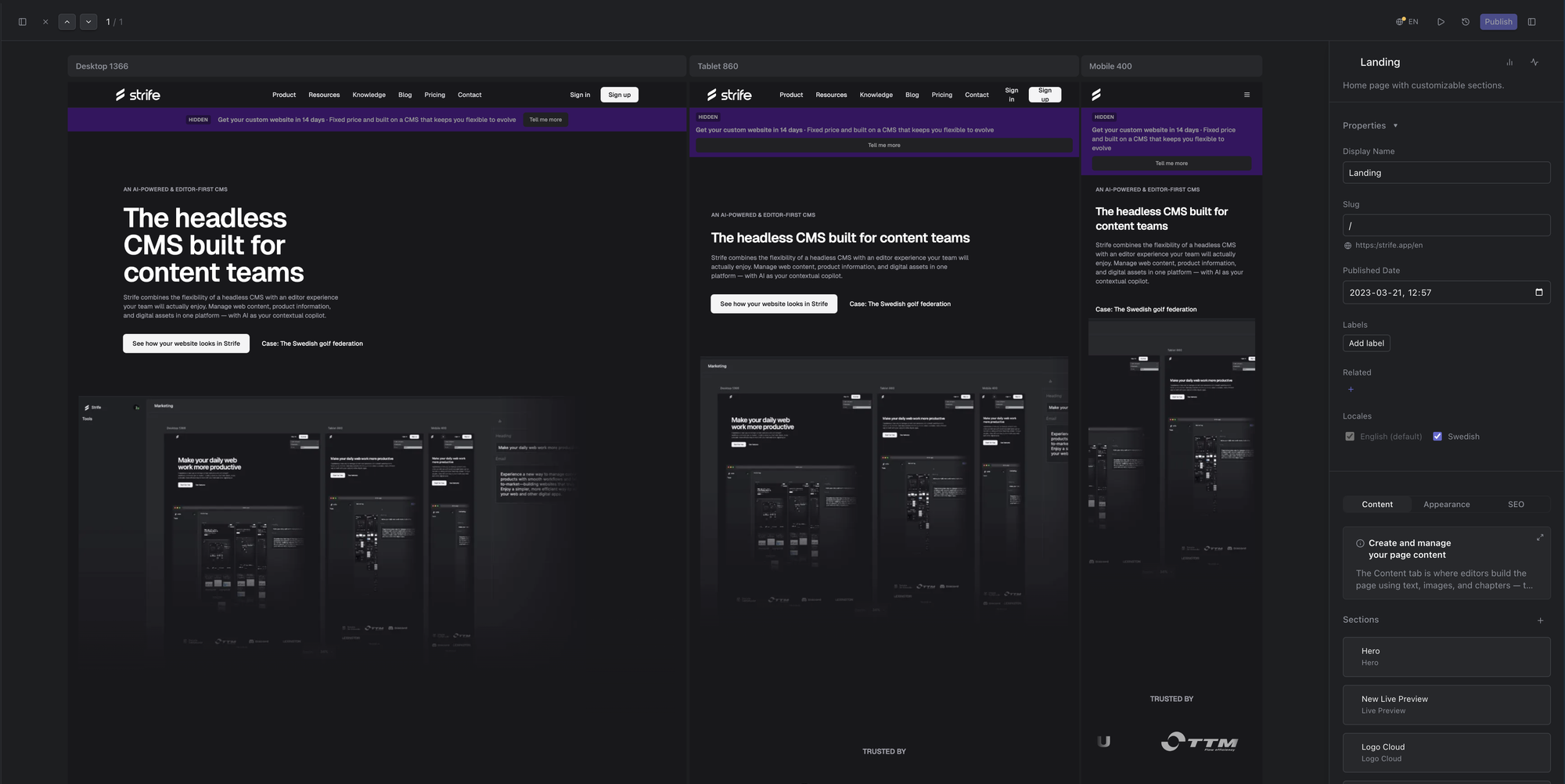
The editing view
The bar along the top has, from the left:
- the button that shows or hides the left menu, and ×, which closes the page and takes you back to the list
- arrows to the previous and next page in the list, and your position in it
- on the right: the language you are editing (a dot means it has unpublished changes), a button that opens the page on your website, the History button, Publish (see Publish a page), and the button that shows or hides the editor panel (Command+I, or Ctrl+I on Windows)
To move around the canvas, zoom and arrange the screen sizes, see Canvas and preview.