Get access to Strife
Join your organization's workspace by invitation, and log in with GitHub or with a code Strife emails you.
Join your organization's workspace
Workspaces are by invitation only: you can't sign up for one yourself. If your organization doesn't use Strife yet, contact us.
- An administrator in the workspace invites you, and the invitation arrives by email. The link in it works for 14 days.
- Open the link in the invitation.
- New to Strife? The link creates your account and logs you in.
- Already have a Strife account with that email address? Log in first. The link takes you to the login page, and once you're logged in you're brought back to the invitation. See Log in below.
- If the invitation added you to a team, you land in it. Otherwise Strife shows Join a team: pick a team and click Join. If no team is listed, ask your administrator to add you to one.
If the link doesn't work, Strife tells you why:
- This invitation is for another account: you're logged in, but not as the account the invitation was sent to. Log out, then open the link in the invitation again.
- This invitation is no longer valid: the link has expired, was revoked, or was replaced by a newer invitation. Ask your administrator to send you a new one.
Log in
On the Log in to Strife page, log in with GitHub or with your email address.
- With GitHub: click Continue with Github. Your GitHub account's email address must be the one your Strife account uses.
- With your email address: enter it and click Continue. Strife emails you a code and a link, with the subject Login for Strife. Then either:
- type the code on the login page and click Login, or
- open the link in the email. It opens a page that says which account you're logging in to; click Login there.
A code works once, for 10 minutes. If the email doesn't arrive, check your spam folder, then click Resend code. The code from the previous email keeps working until it expires, so you can use whichever of the two arrives first.
After five wrong codes, ask for a new one. After 20 wrong codes in a day, logging in with your email address is paused for up to 24 hours; you can still log in with GitHub. You can ask for a code three times a minute and 20 times a day. The login page looks the same when you've reached a limit, so if no email arrives, wait a minute before you ask again.
For administrators: invite people under Settings ▸ Workspace ▸ Members ▸ Invite people. Enter one or more email addresses, pick teams under Add to team if you like, and click Send invites. The same list lets you resend or revoke an invitation. Resending emails a new link, and the old one stops working.
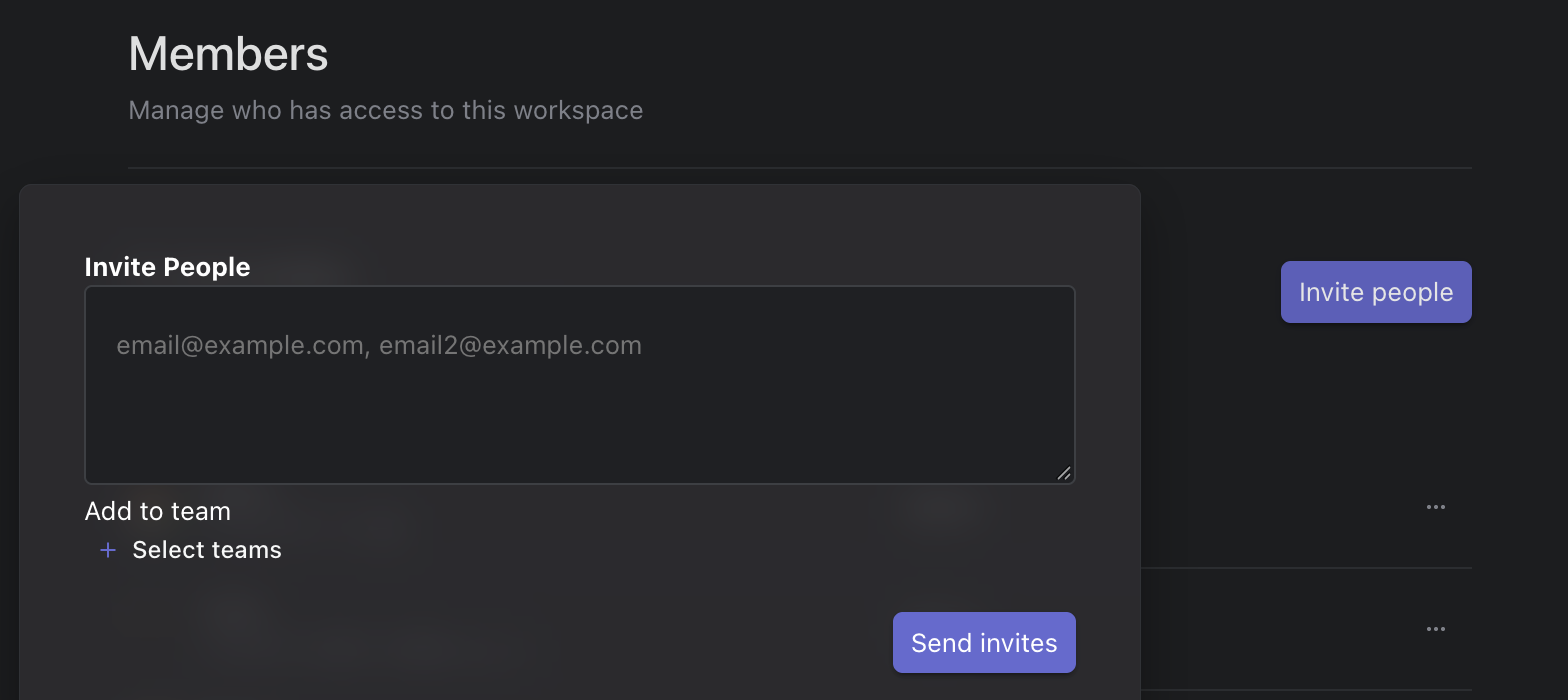
Invite People