Work with a media file
A media file's menu: its details and where it is used, renaming and moving it, copying its link and downloading it.
Open a file's menu with ⋮ on the file:
- Details shows the file's fields, such as its caption and keywords, and its details: type, size, who uploaded it and when, and Used in, the documents that use it.
- Rename... gives the file a new name.
- Move up moves the file out of its folder, one level up. To move a file into a folder, drag it onto the folder.
- Open containing folder, in search results, opens the folder the file is in.
- Share ▸ Copy link copies a link to the file. You will see "Url is copied to clipboard."
- Download downloads the file.
- Delete removes the file (see Delete a media file).
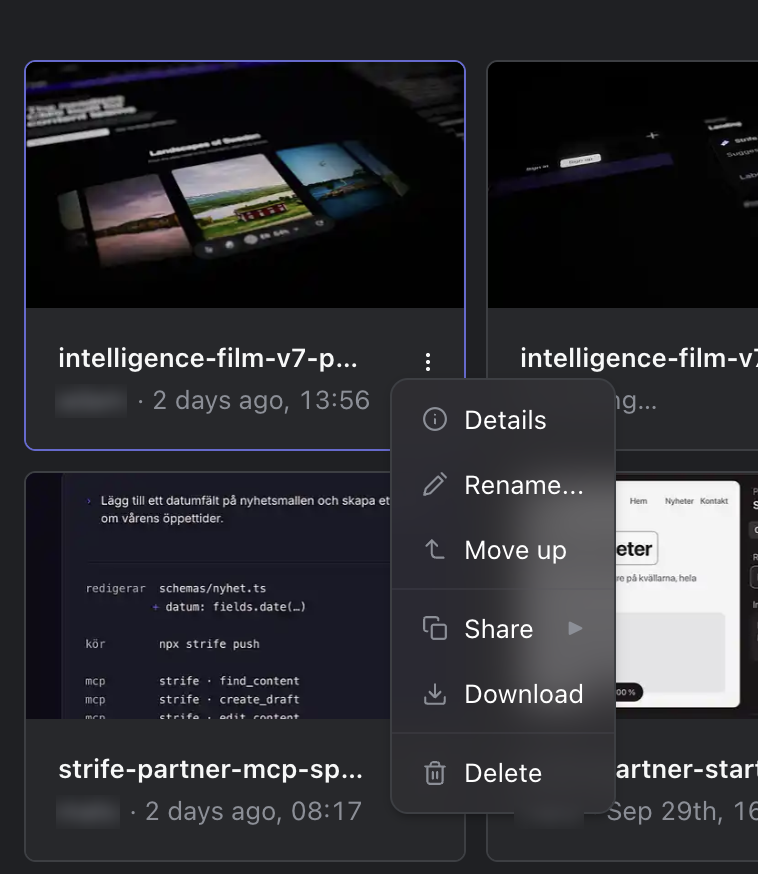
A file's menu
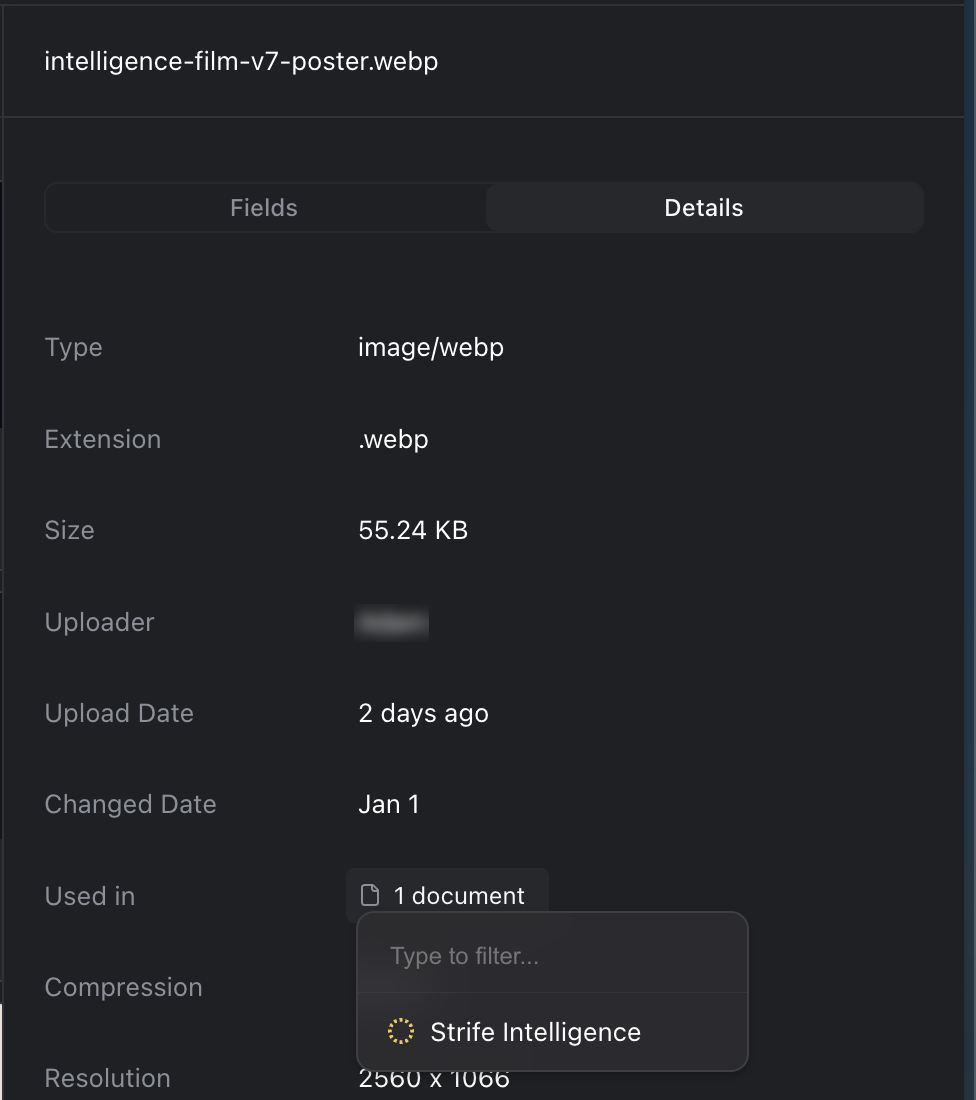
A file's details, with Used in