Metadata and SEO
A page's name, address and other properties, and the SEO field: title, keywords and description, with a preview of the search result.
Properties
Every page has the same built-in properties, under Properties at the top of the editor panel: Display Name, Slug, Published Date, Labels, Related and Locales.
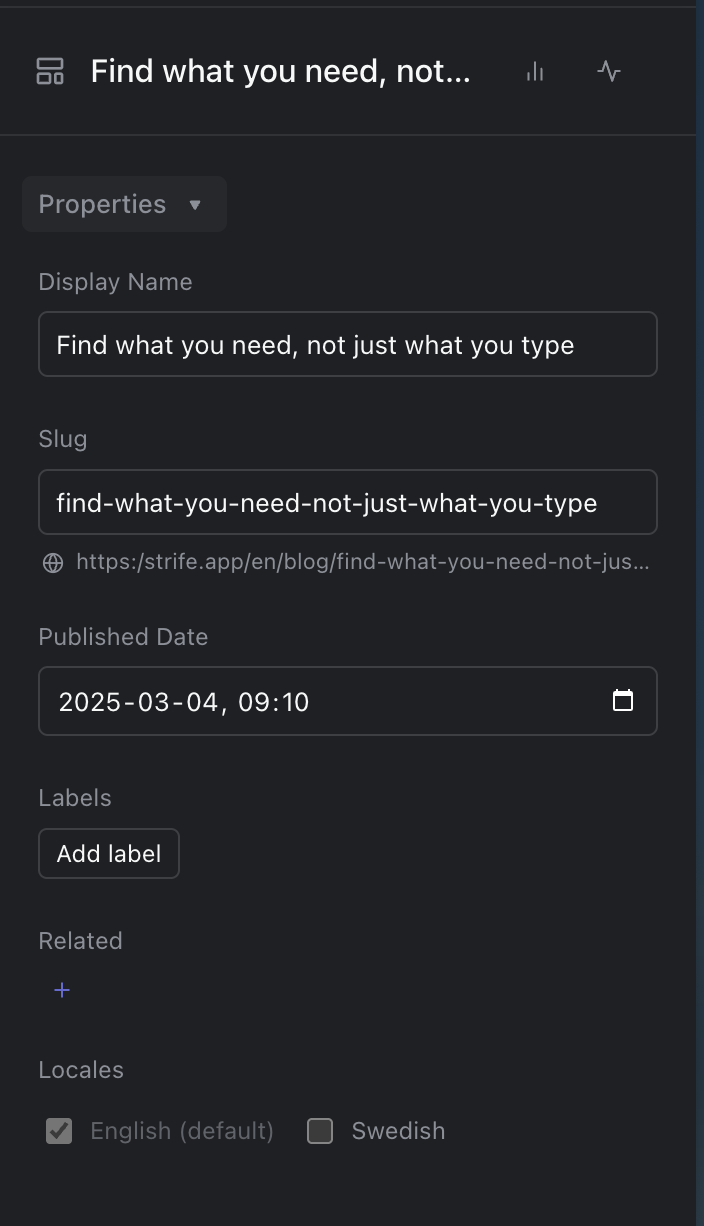
Properties
- Display Name is the page's name in Studio. Every page needs one.
- Slug is the last part of the page's address. When you create a page, Strife makes the slug from its name. After that, changing the name doesn't change the slug. Two pages can't have the same slug, and a page whose slug is already in use can't be published. Think twice before you change the slug of a published page, since links to the old address may stop working.
- Depending on the template, the name and the slug can be different in each language, or the same in all of them.
- Published Date is the page's publishing date. A date in the future doesn't schedule anything in Studio: what it means is up to your website.
Search results
Many templates have an SEO field, often on a tab of its own, for how the page shows in search results:
- Title: the page's title in search results. Aim for 50 to 60 characters.
- Keywords: words that describe the page, separated by commas.
- Description: the summary that search engines may show under the title. Aim for 110 to 160 characters.
Under each of them, a counter shows the length, and a bar turns green at a good length and red when the text is too long.
The box at the top of the field, Best Practices When Writing for SEO, has more advice. Under the fields, a preview shows how the page may look in search results, with its address.
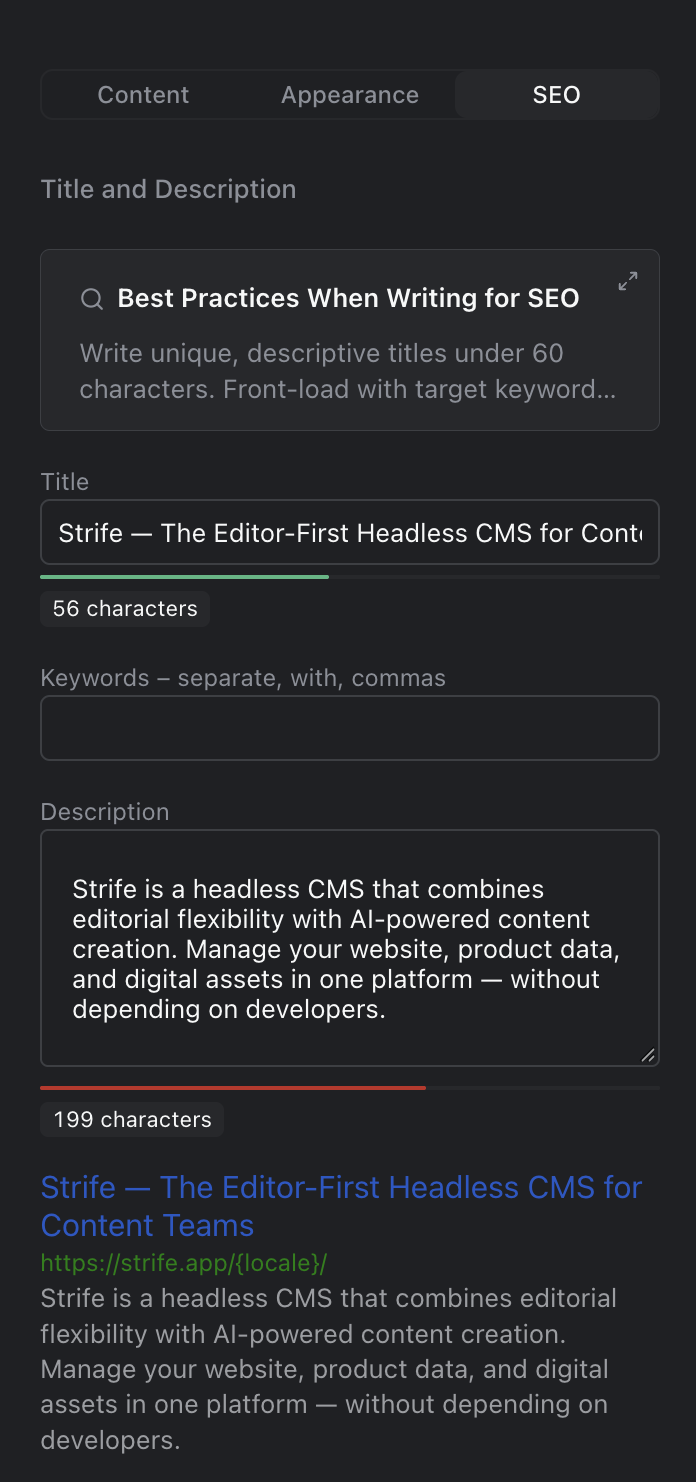
The SEO field
With Strife Intelligence turned on, an empty title or description shows a suggestion in grey. Press Tab, or click the button in the field, to use it.
Some templates also have fields for how the page looks when it's shared on social media, such as an image for the link preview. Which fields there are is up to your developer.